
A tour — Vol. I
What's inside
A walk through the rooms of .i.s.o. — the feed, the map, the profile, and the small protections that keep it safe for you and your work. Pages turn left to right.
Chapter I
§ i
Four streams
No algorithm
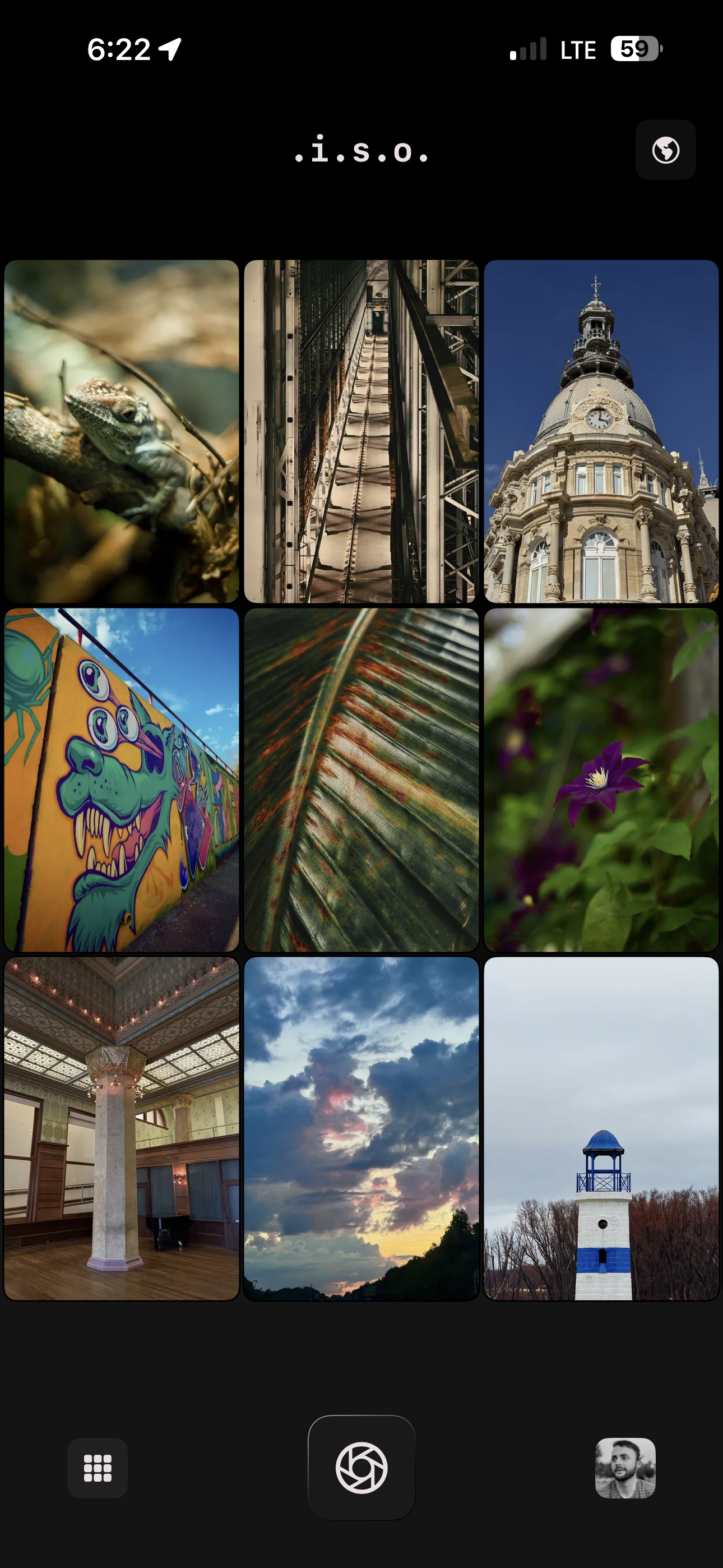
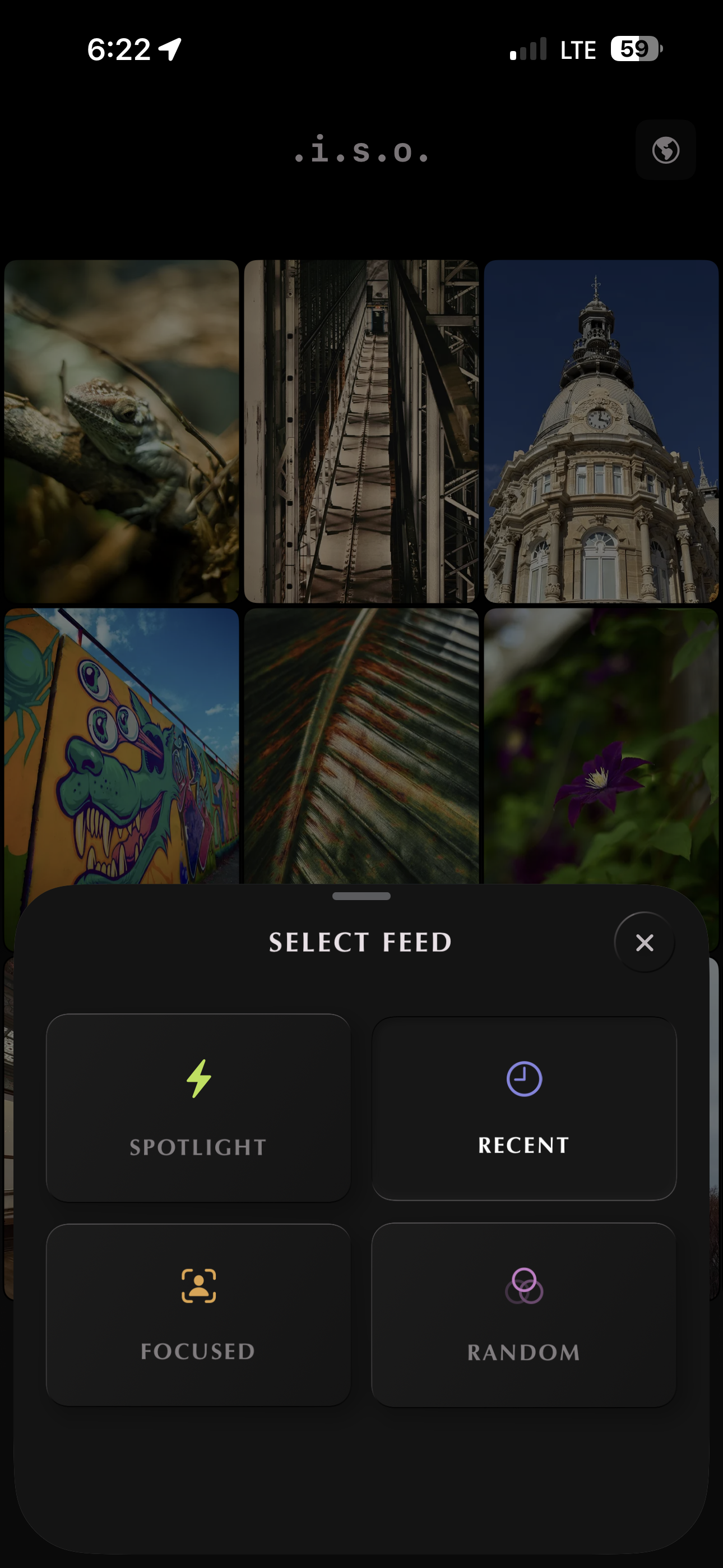
There are four feeds to choose from. Each one presenting a different way to discover work that you wouldn't have found otherwise.
Photographs surface naturally. There's no model in the background guessing at what'll keep you scrolling for a few seconds longer.
Two taps to switch feeds. Quick and simple.
Chapter II
§ ii
Our world,
shaped by the photographs taken in it
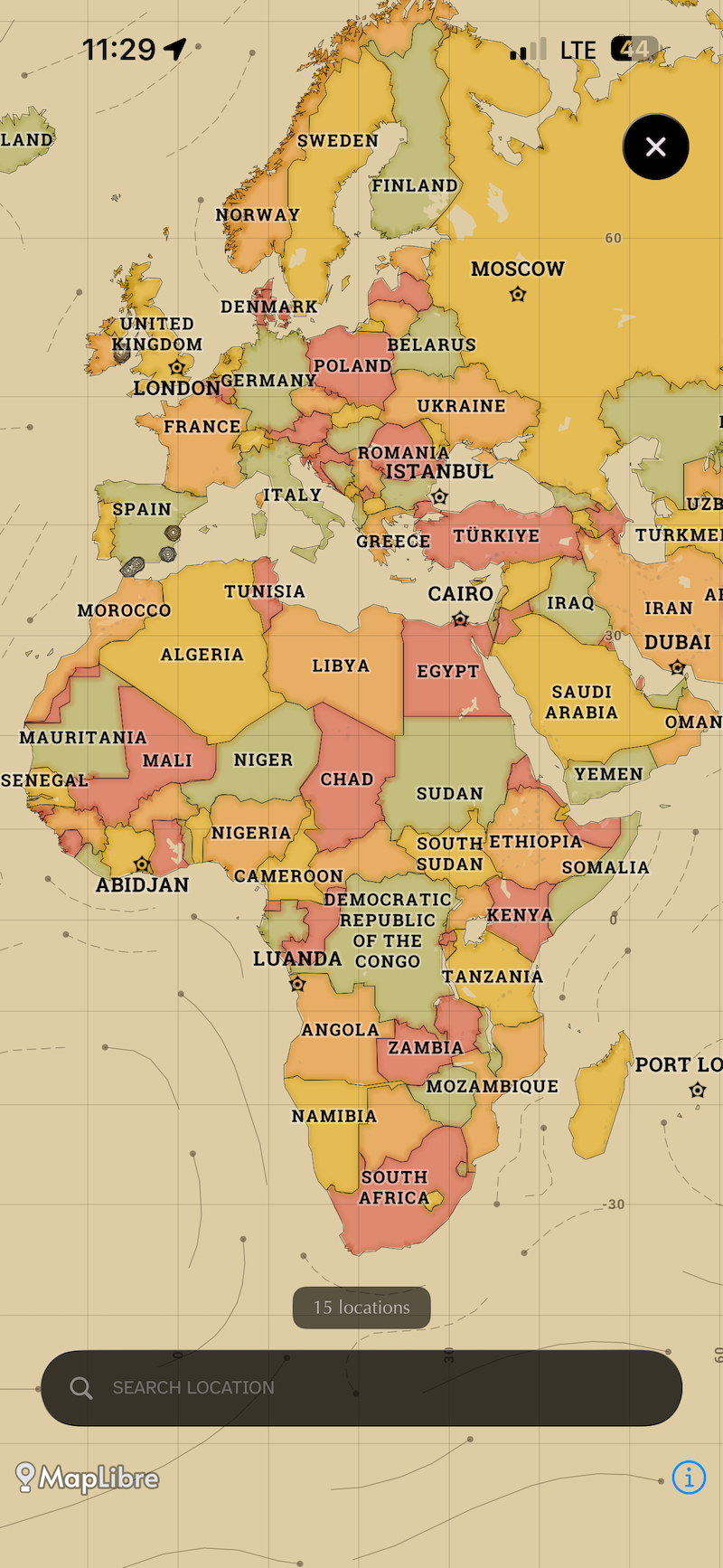
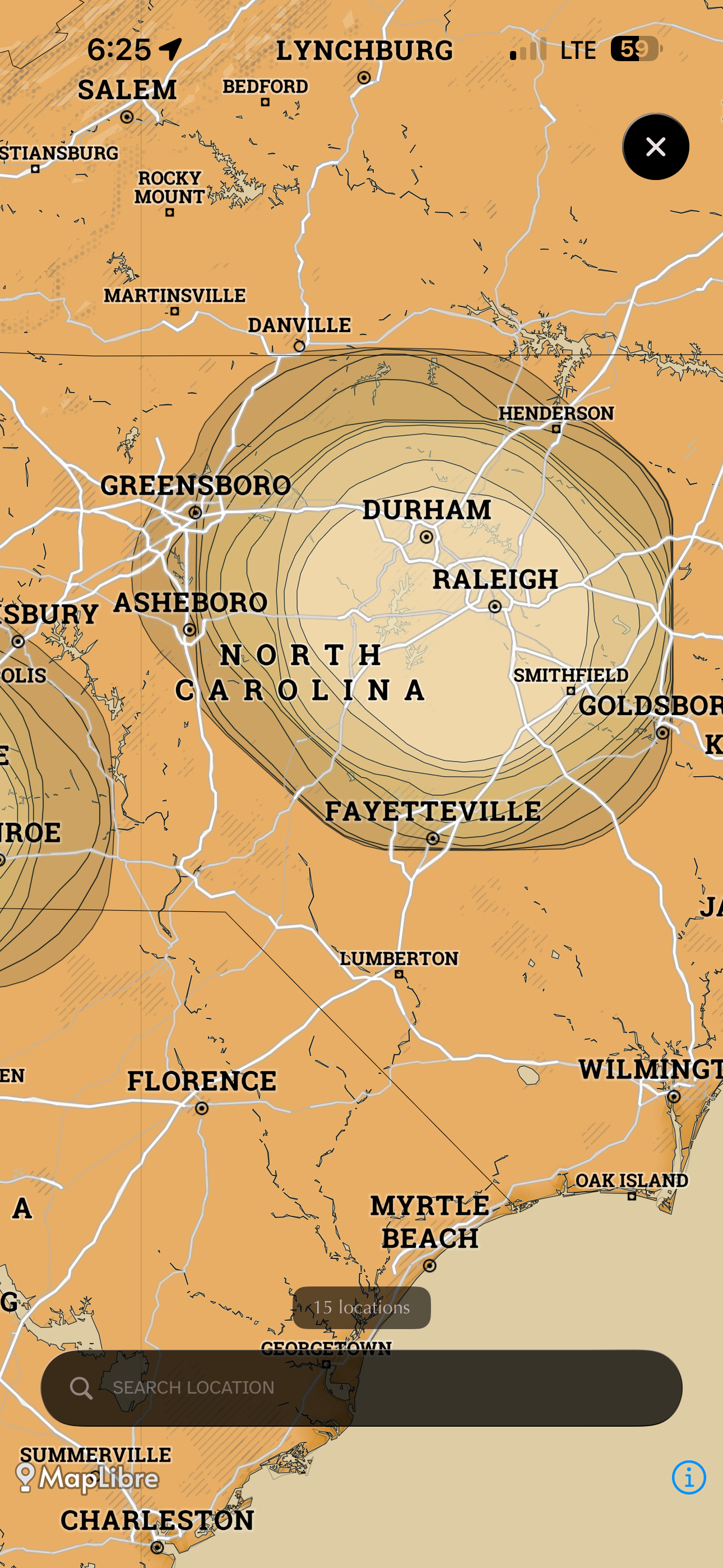
Every photograph is an opportunity to tell the story of the world around you. You have the option to tag locations if you wish, but are never required to do so. The map aggregates data into a heatmap, not precise locations, so you can see where the work is happening without exposing where it lives. The goal is to protect privacy while fostering community.
Zoom out and you see the continents light up. Zoom in to wander city by city.
The map shows where photographs gather, not where they were taken.
Chapter III
§ iii
The work,
on the wall, alone
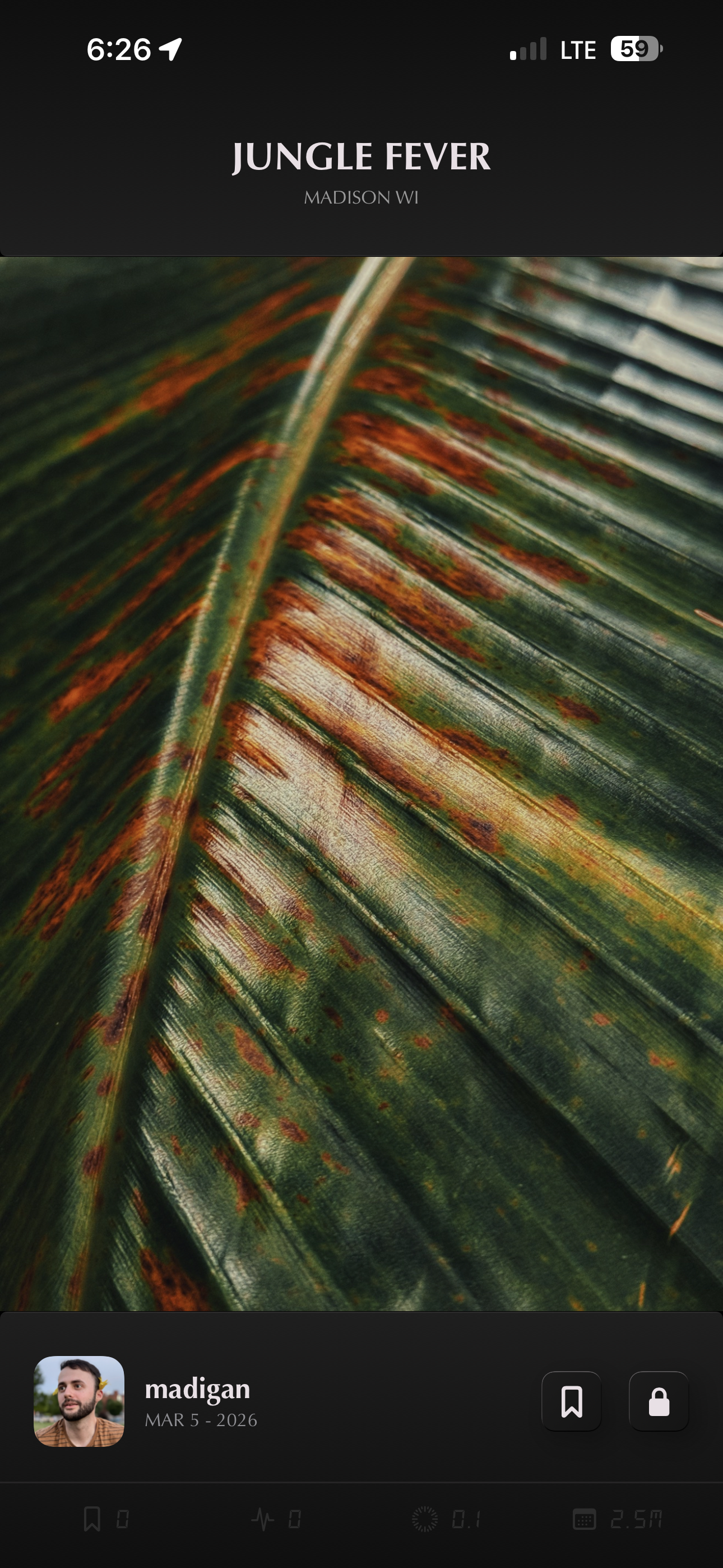
One image at a time, with room to breathe. The focus is on the art, not a row of buttons.
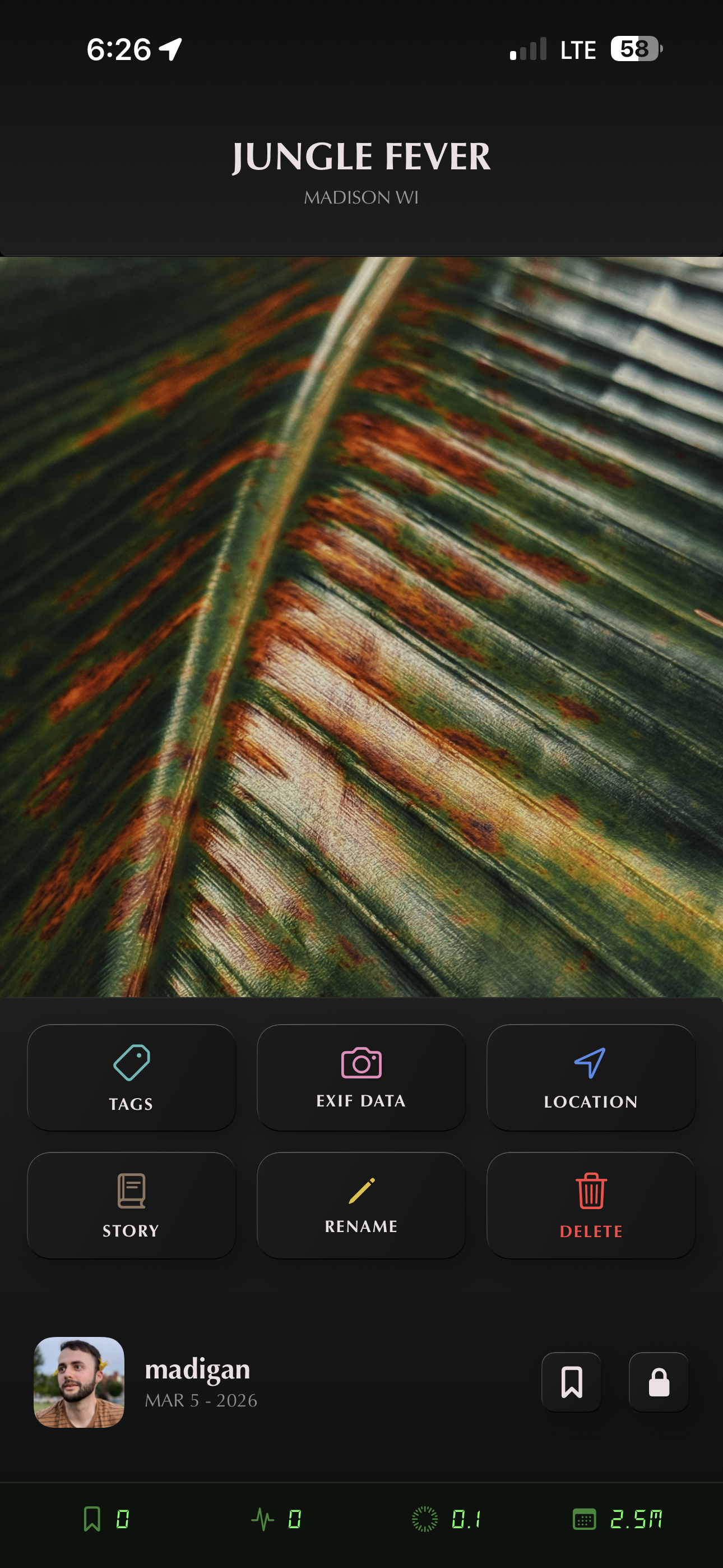
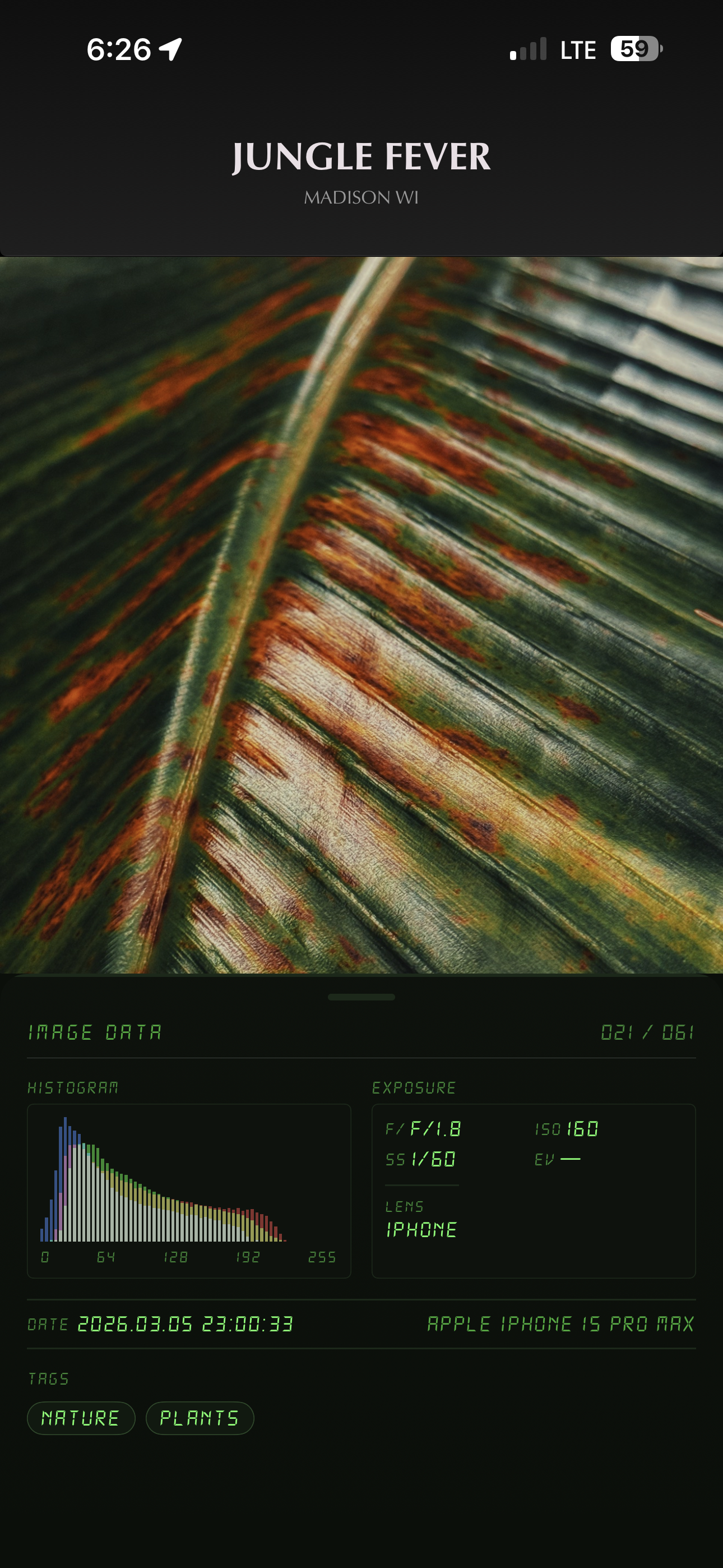
Tap once and the controls fade out. Tap again and they come back. Slide up to see the details: the lens, the shutter speed, the histogram across the frame.
Heartbeats are for the art you love. Inspirations are for the masterpieces that stay with you. If you want to get to know the artist, simply tap their name to step into their space, the way a print on a wall draws you in.
Swipe left or right to explore. Swipe down to dismiss.
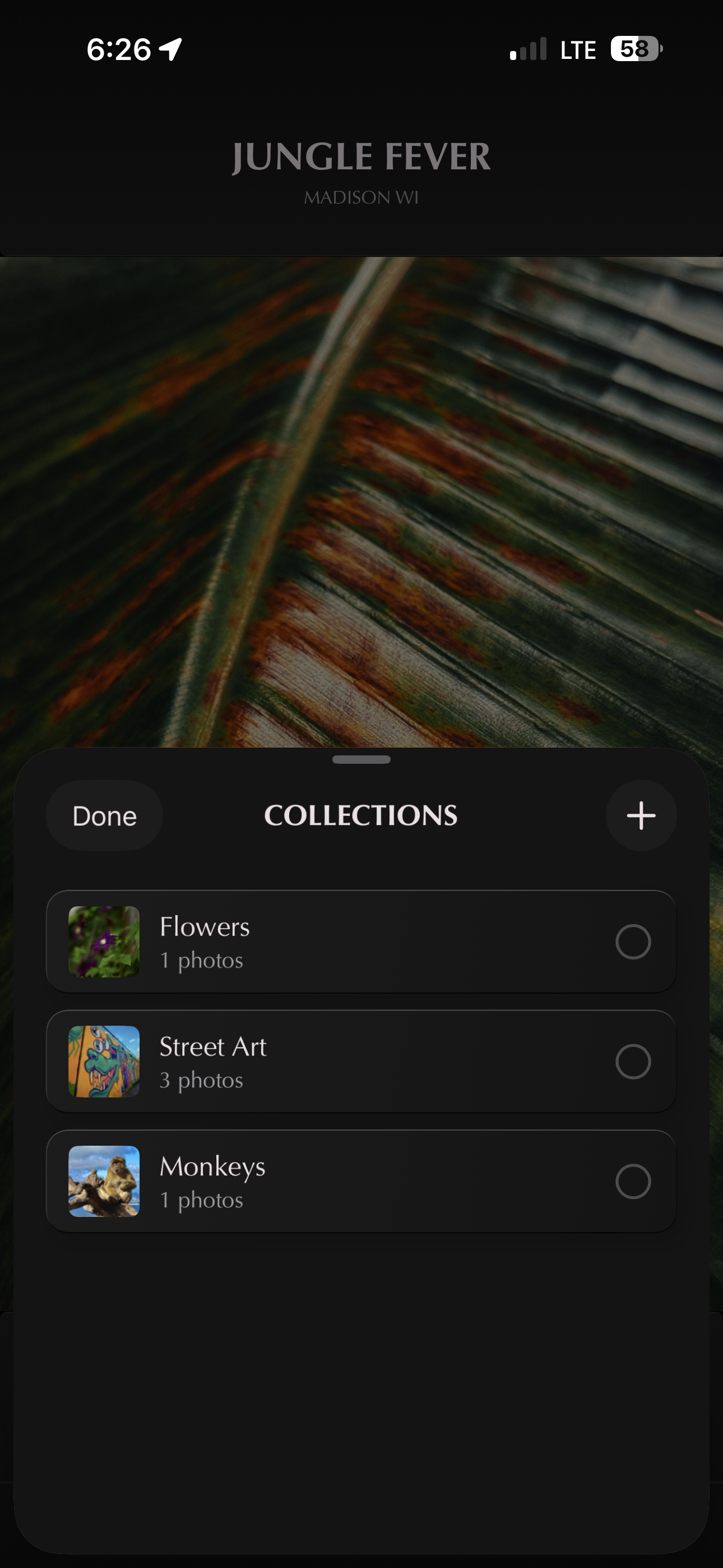
In the same space, view the photo's story, add it to your inspirations, or even report it if it doesn't belong in our community.
Small gestures, freely given.
Chapter IV
§ iv
A home page,
for a creative mind
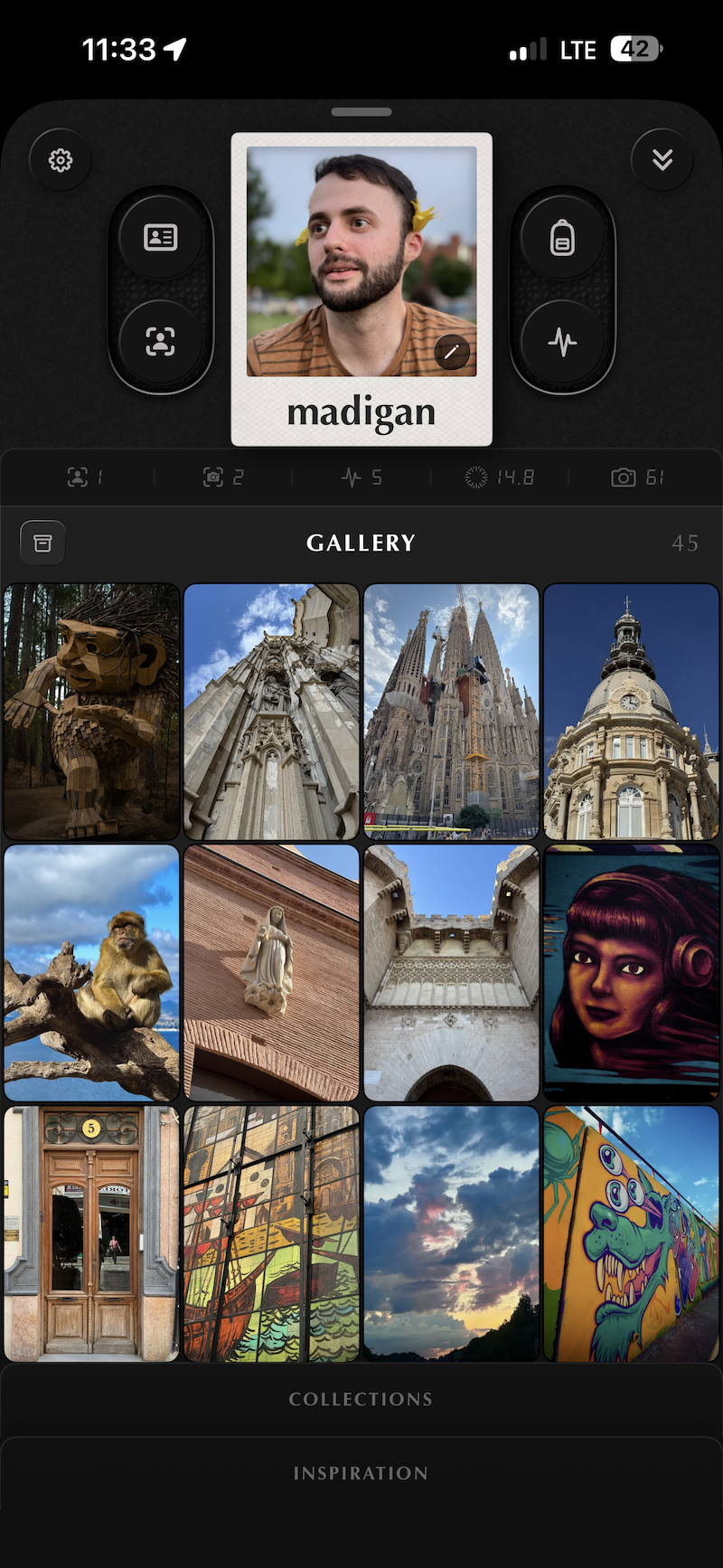
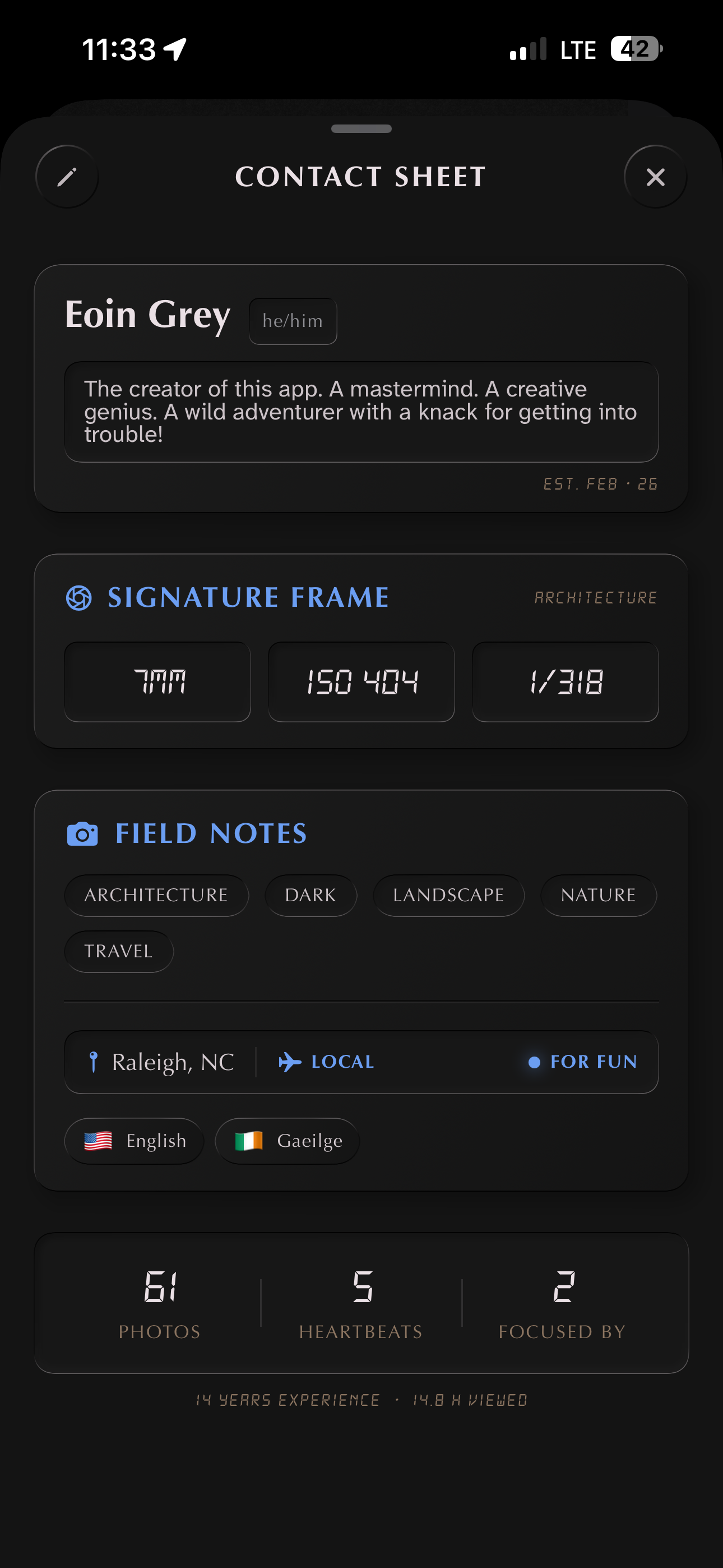
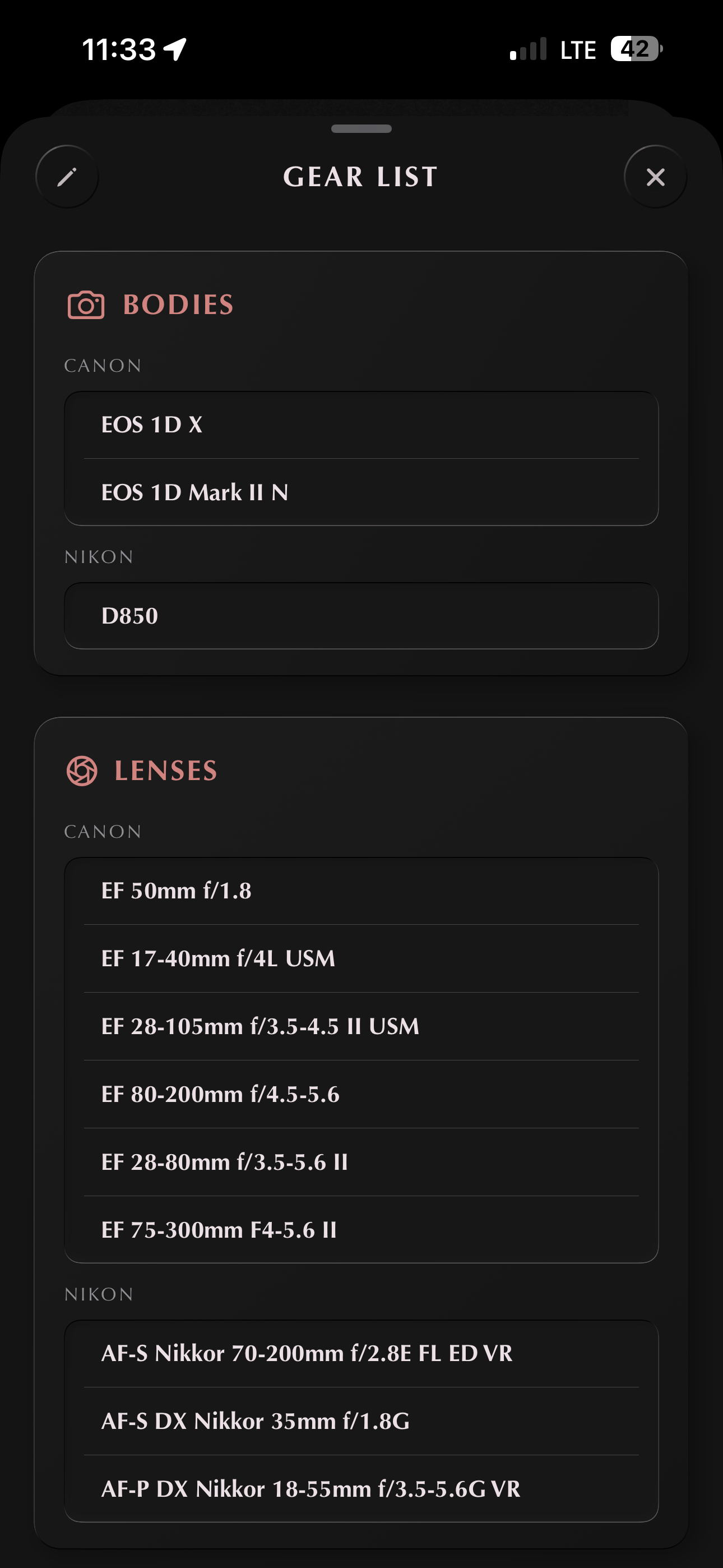
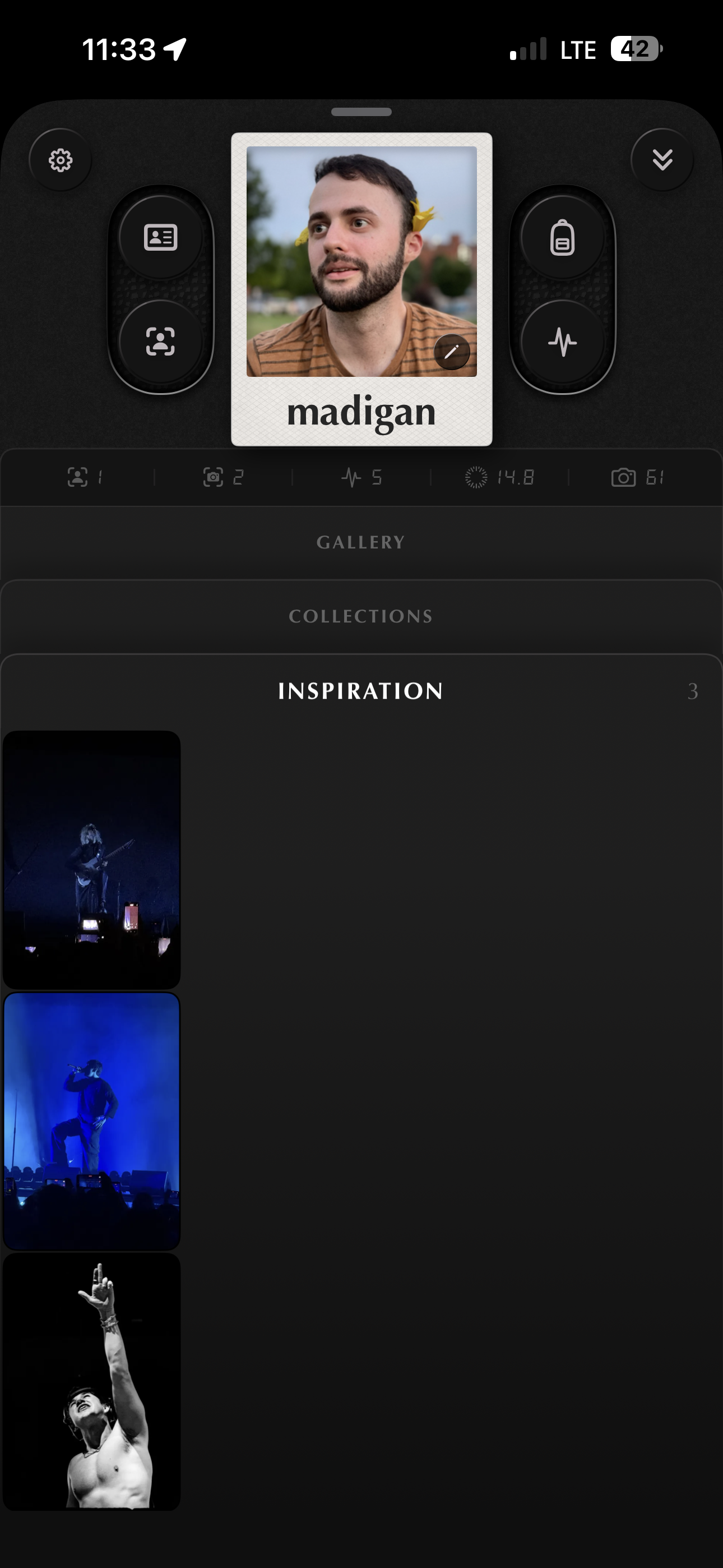
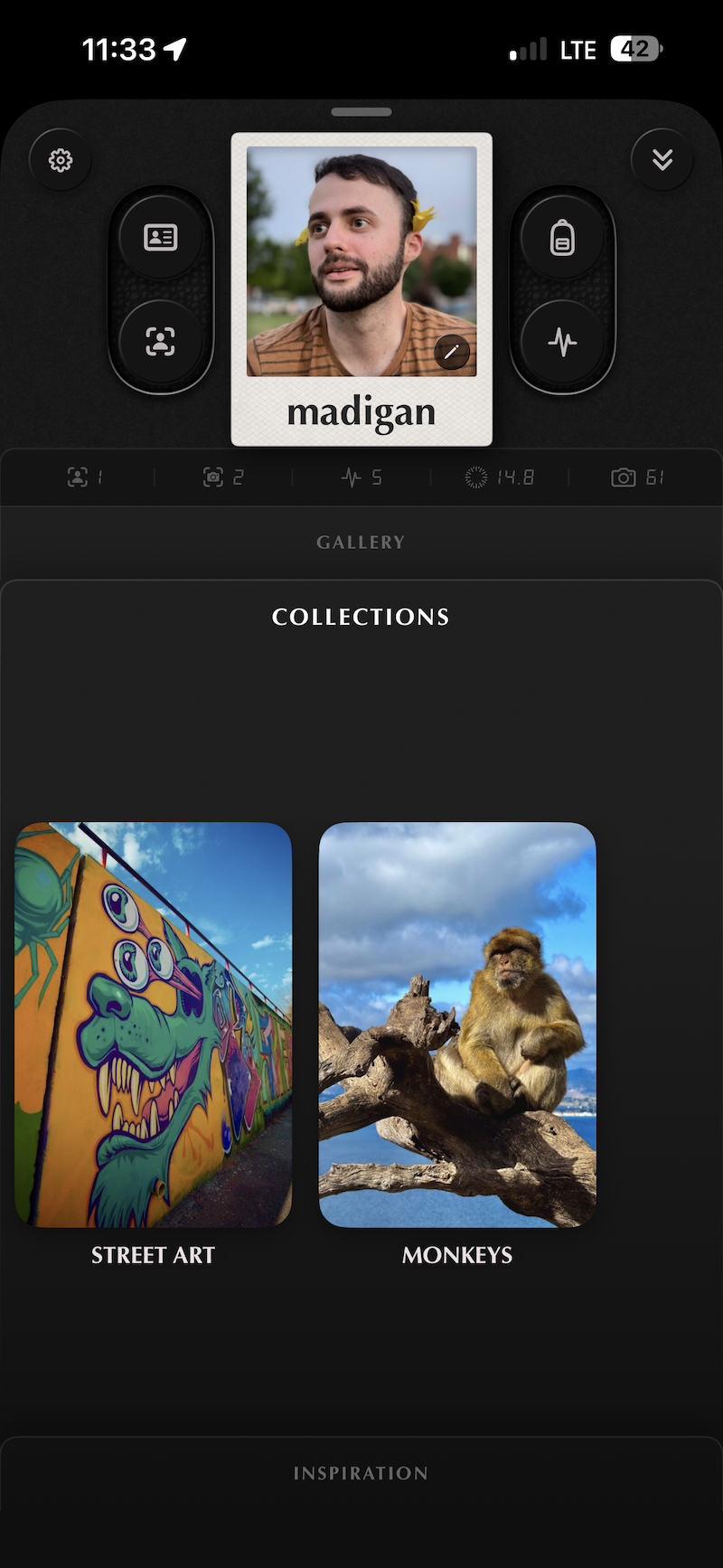
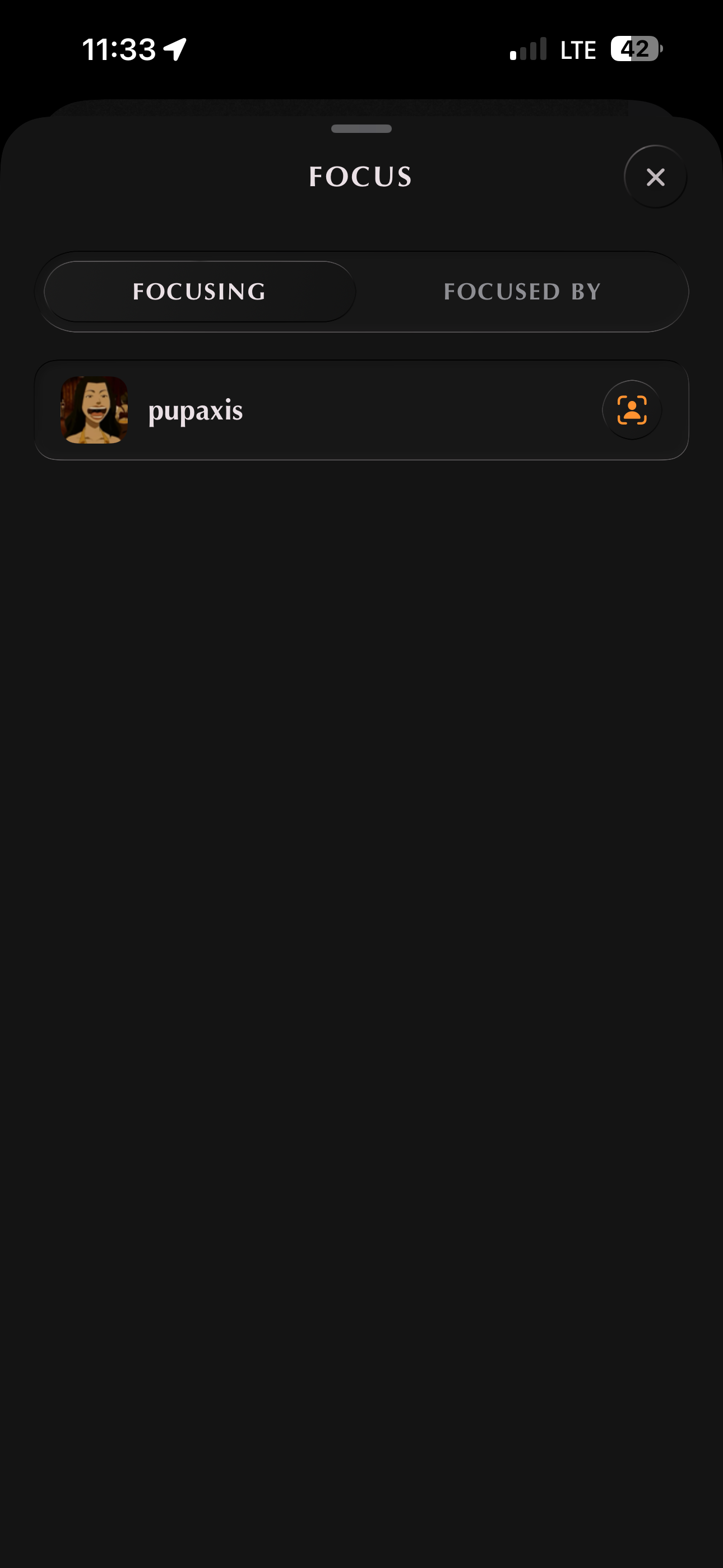
Your contact sheet, your gear, the people you focus on, the work that shaped you. Profiles on .i.s.o. are built around what photographers and artists actually care about, not the fields other platforms ask you to fill in.
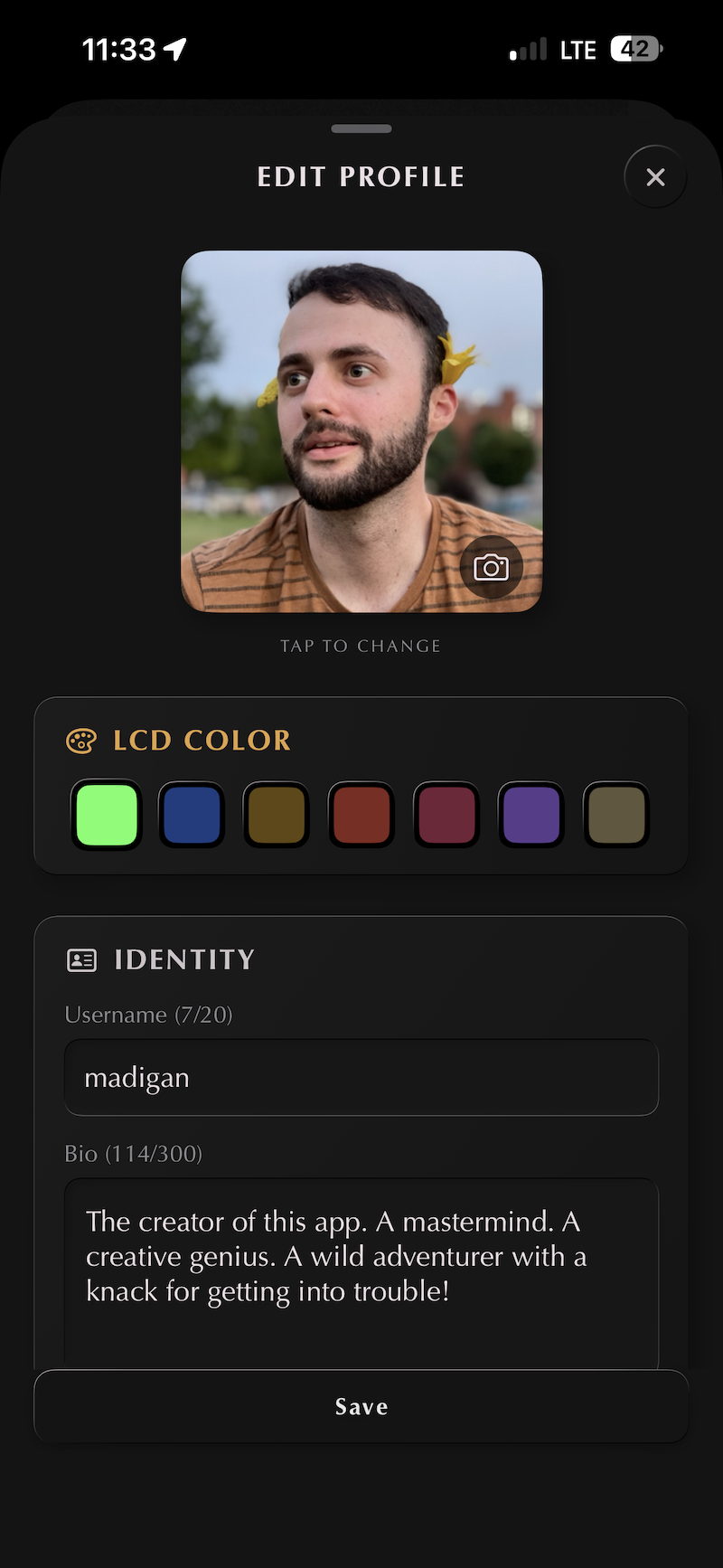
Your profile here is closer to a portrait than a bio. It's meant to give someone a real sense of how you see and what you make.
Your inspirations sit alongside your own work, where they belong. The artists who shaped you, in the same room, with the same care.
The counts here are yours and yours alone. They are not visible to others and cannot be used to shallowly gauge the merit of your work. Virality is not authenticity.
Shape every part. Your contact sheet, your gear, your inspirations, your collections, all in one place.
Pick which collections and photos stay private, and which ones can be discovered by everyone. The rest of your profile follows this same philosophy: you decide what you share.
A profile that grows with what you make.
Chapter V
§ v
Upload your work,
like a print
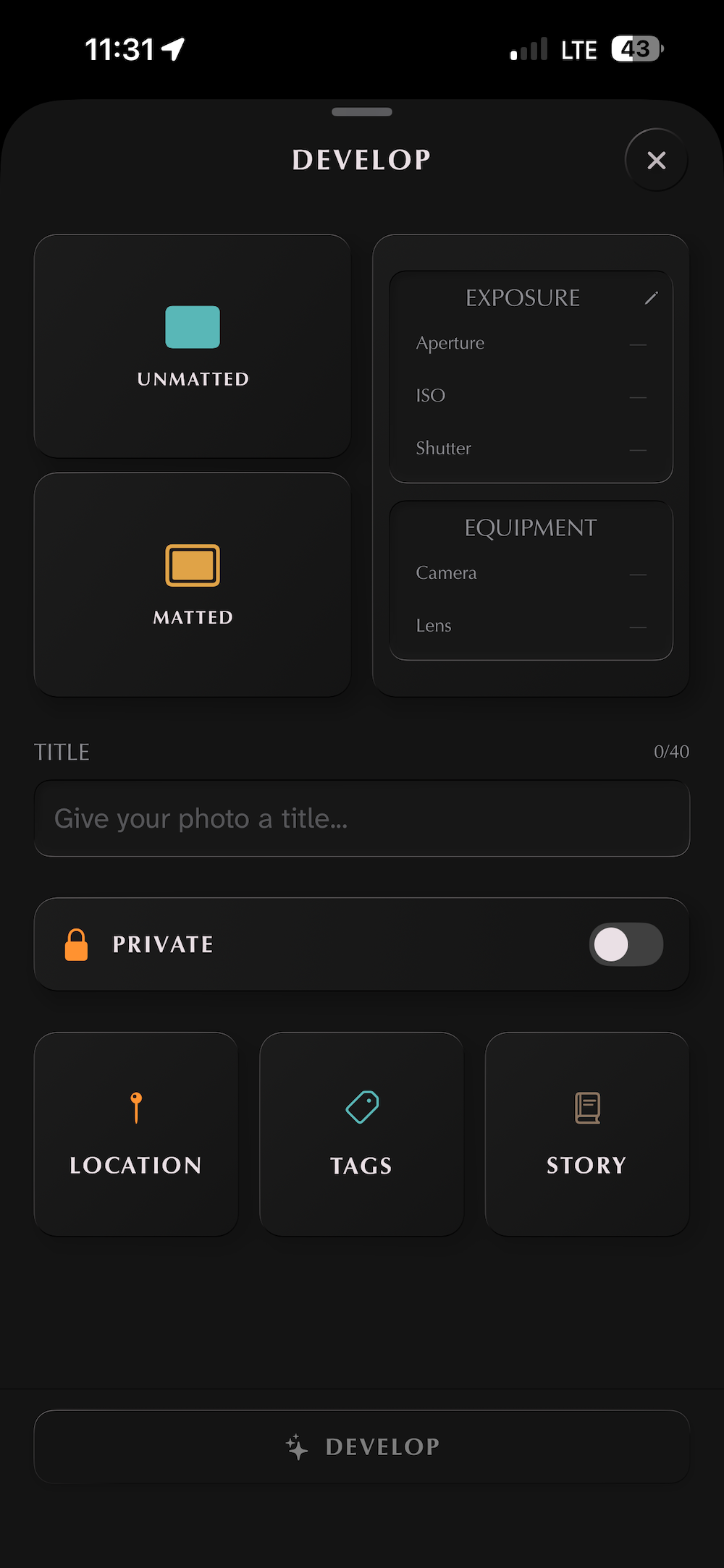
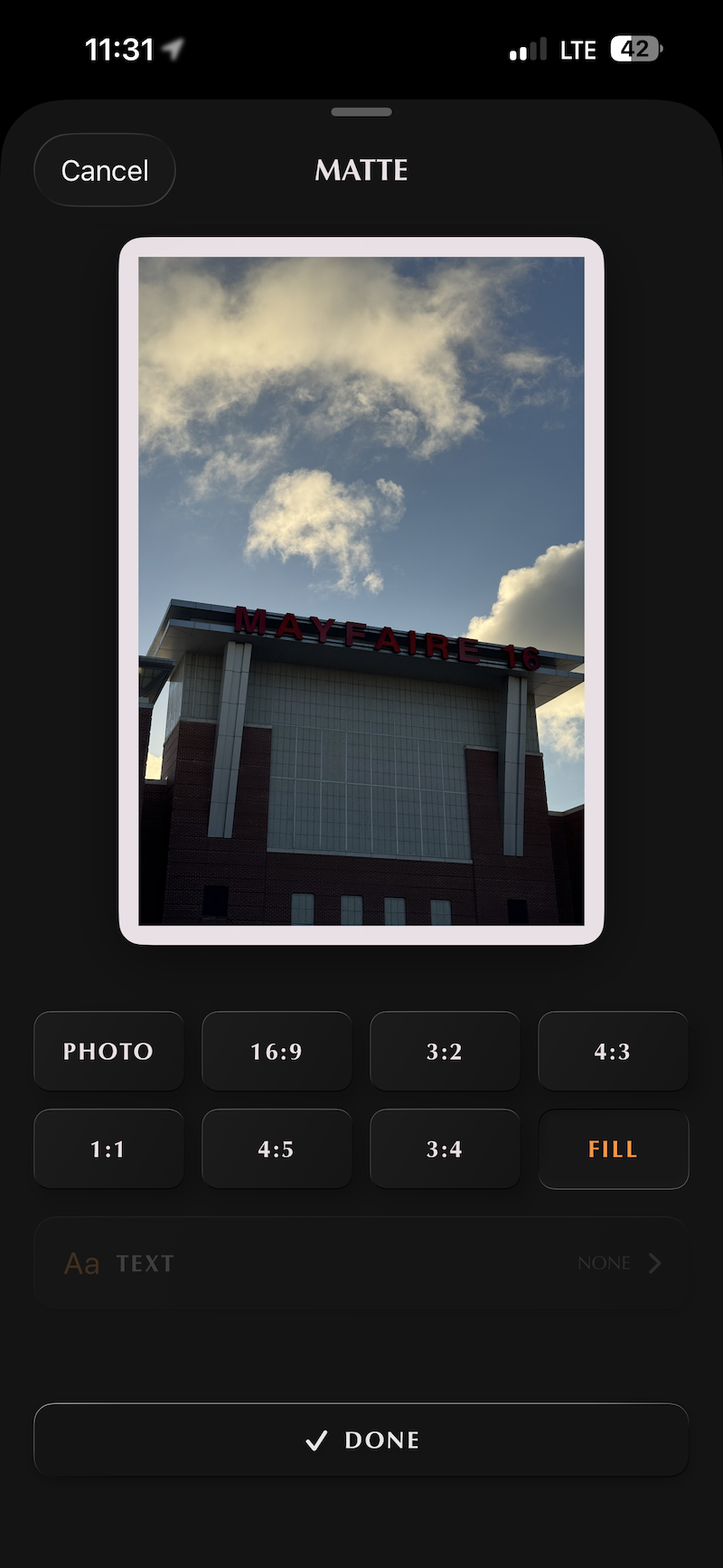
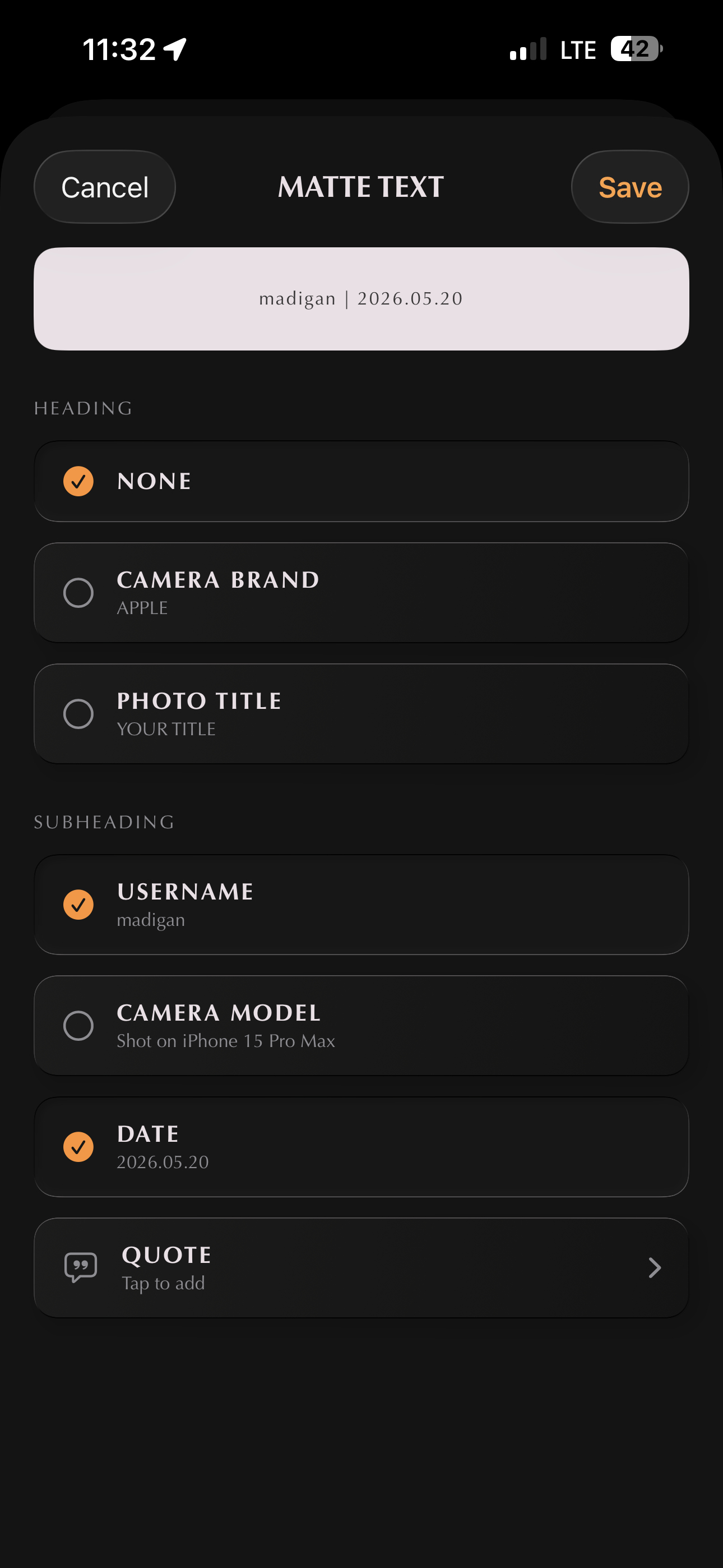
Choose the matte, the text, the look. All of it is yours to set. Nothing auto-generated, nothing guessed for you.
Add a location, write the heading, sign it with love.
Develop, then publish. No drafts hanging in limbo.
Chapter VI
§ vi
Filter your view,
reduce the noise
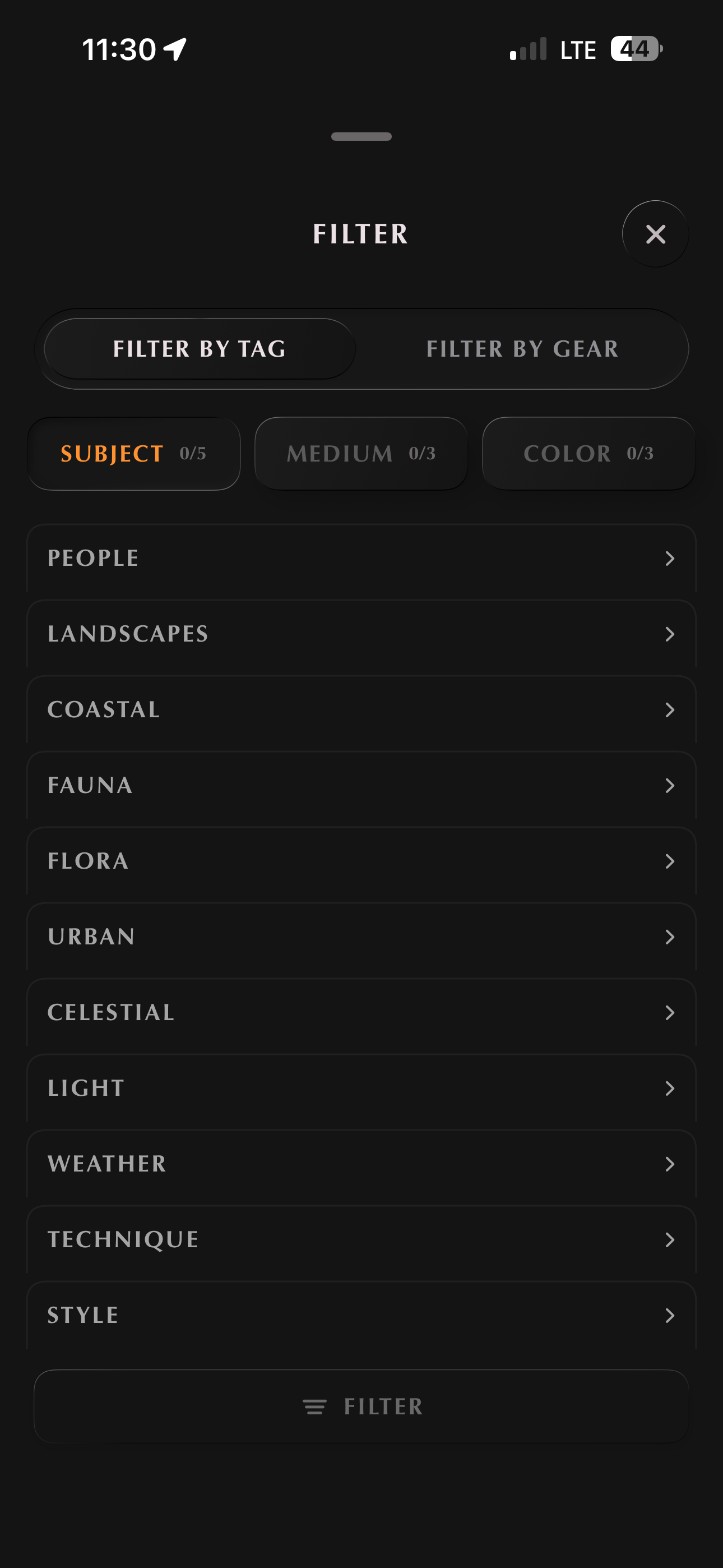
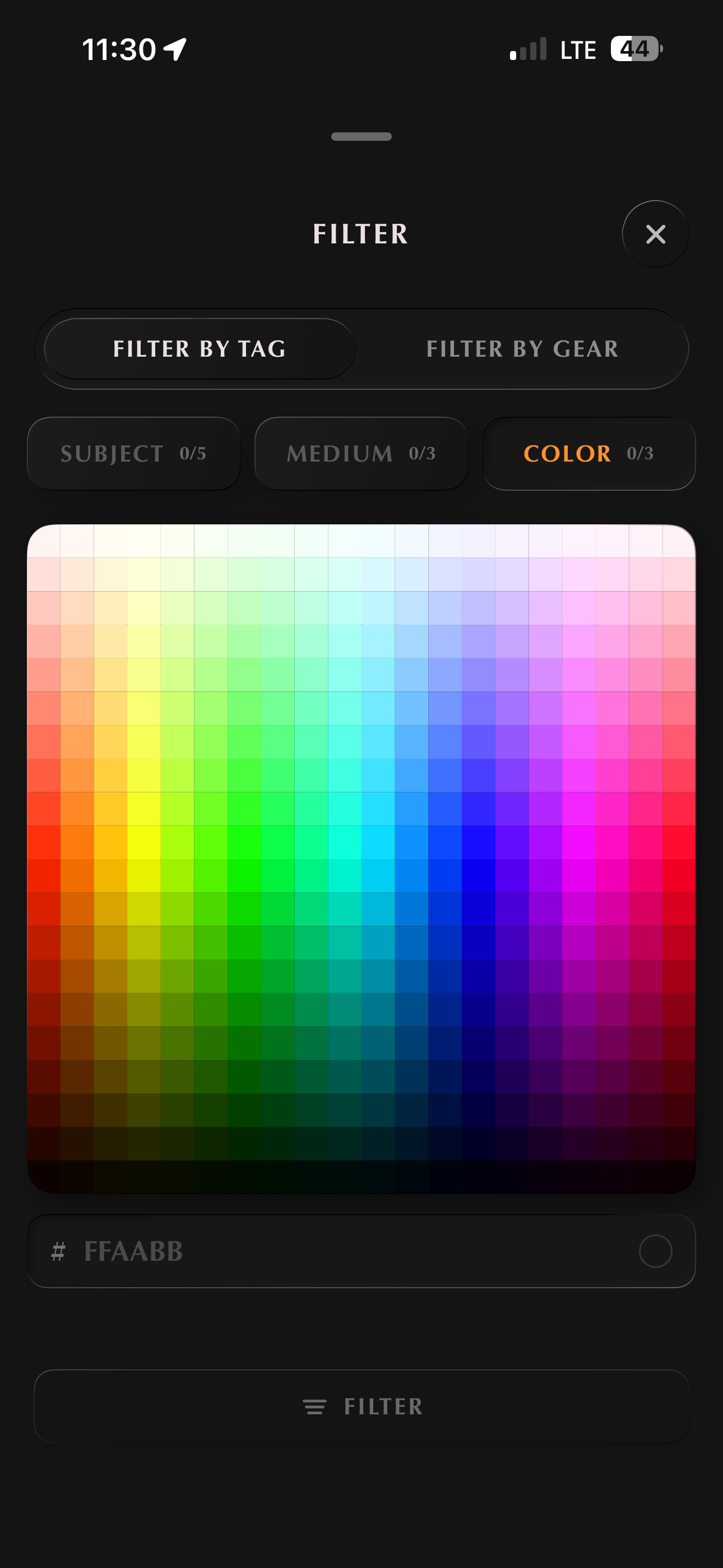
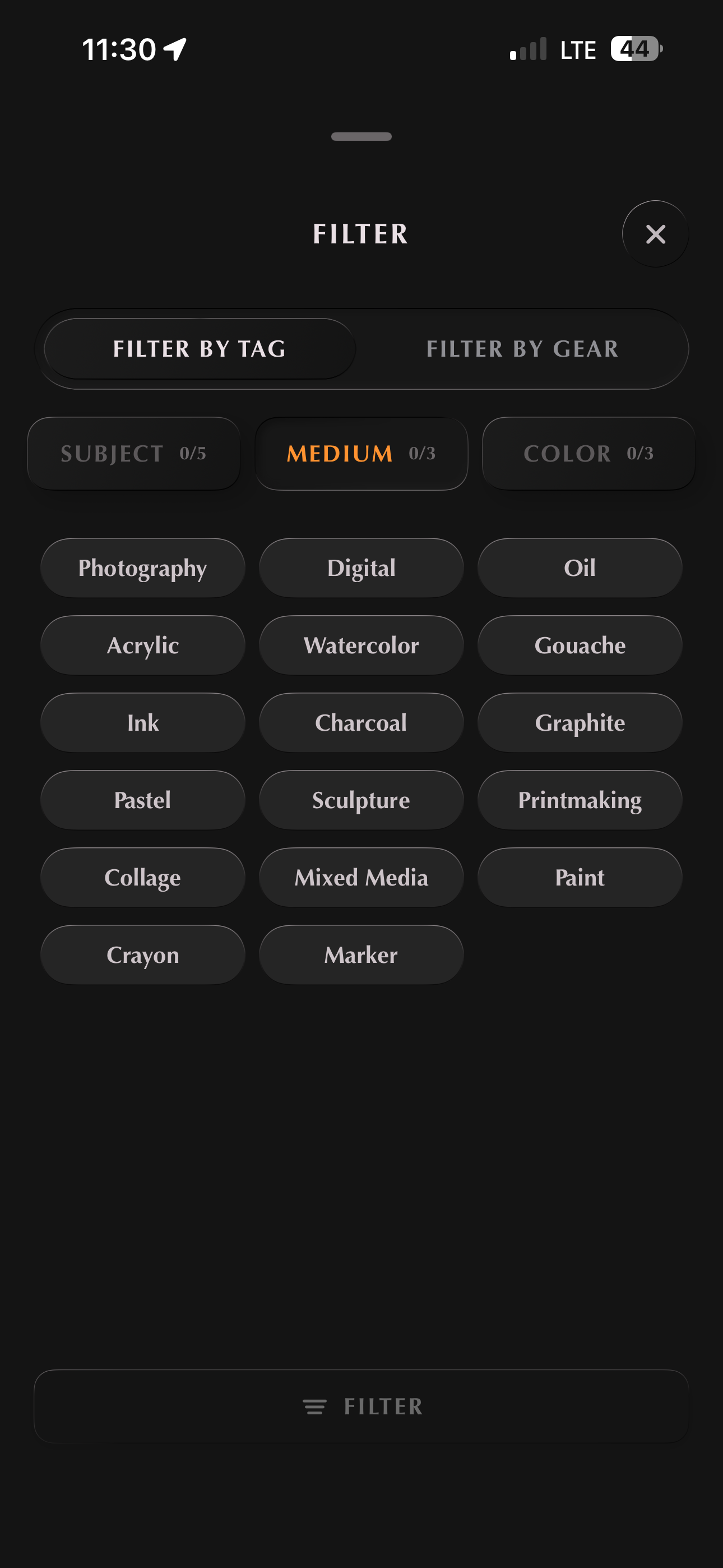
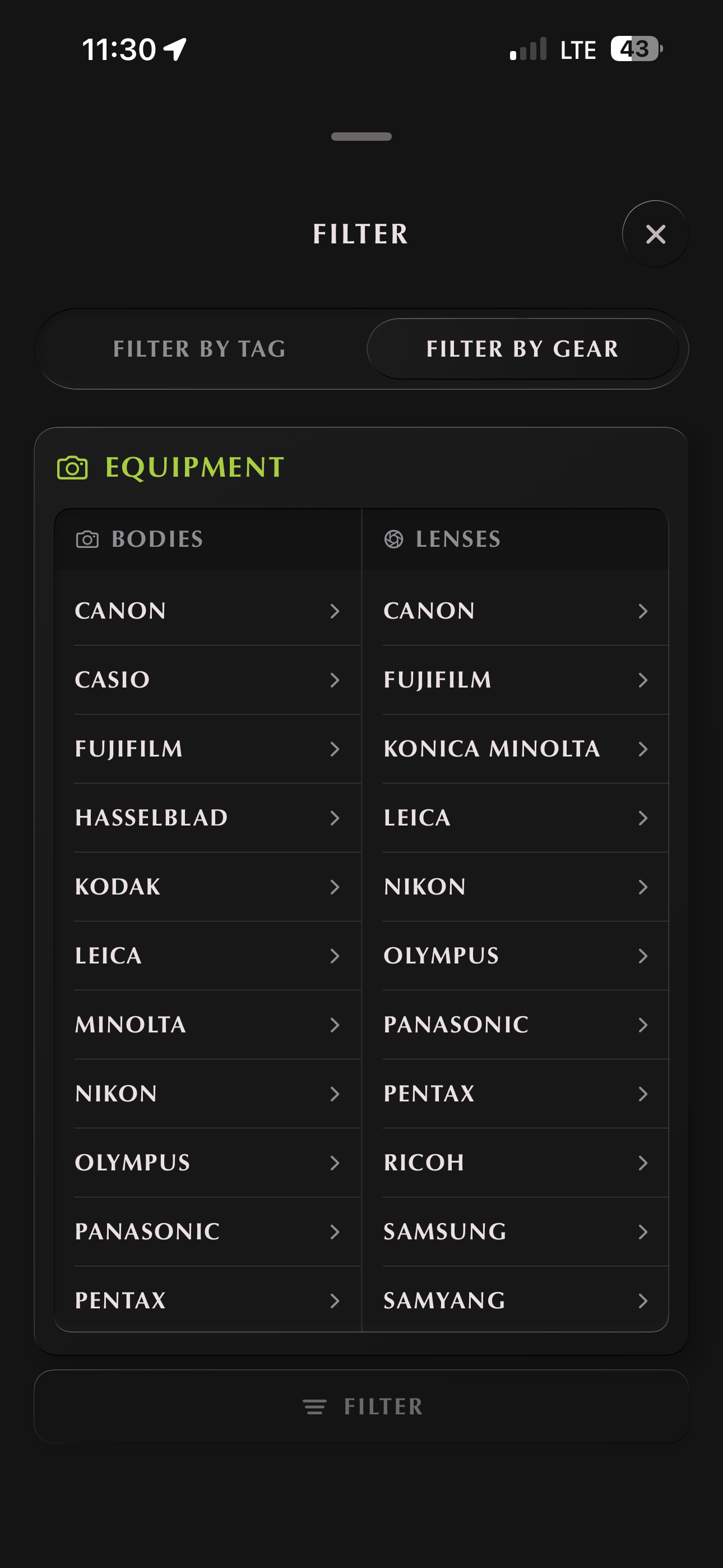
Search by subject, medium, gear, or palette. Use one on its own, or stack a few together.
Filter by color and you'll get everything close in hue, not just the exact match.
Find every 35mm street shot. Every long exposure of water. Every portrait taken on a lens you've been thinking about. Specific in the way the rest of the internet has stopped letting you be.
Results stay still. They don't reshuffle while you scroll, and the most interesting work doesn't get tucked behind ads or sponsored slots.
Open the filter from any feed and combine the ideas that interest you. Subject, medium, gear, palette, or all four at once.
See exactly what you want, or search for your next inspiration. Clearing everything takes one tap.
Find quietly. Or wander.
Chapter VII
§ vii
Full control,
settings that matter
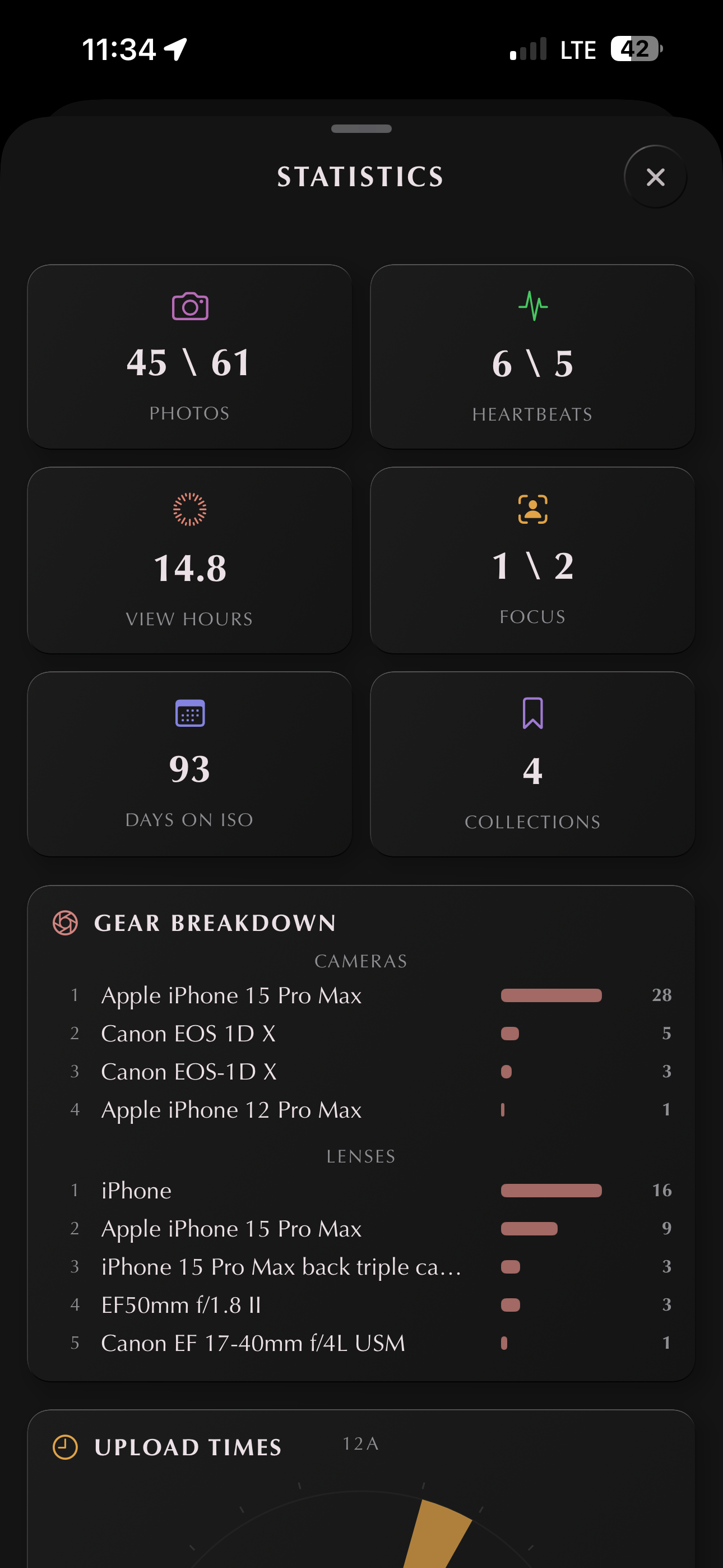
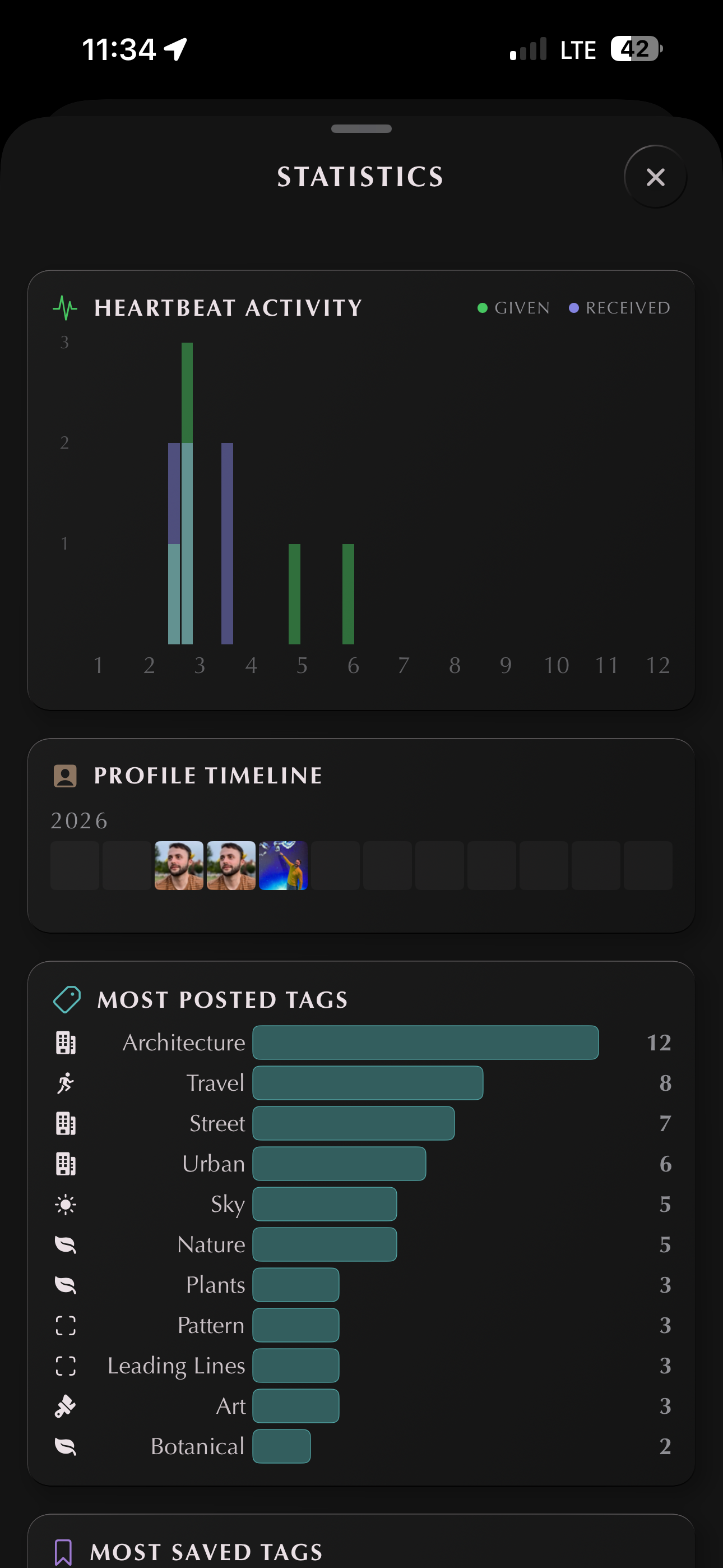
A statistics page with plain counts and totals. Just numbers. No scores, no rankings.
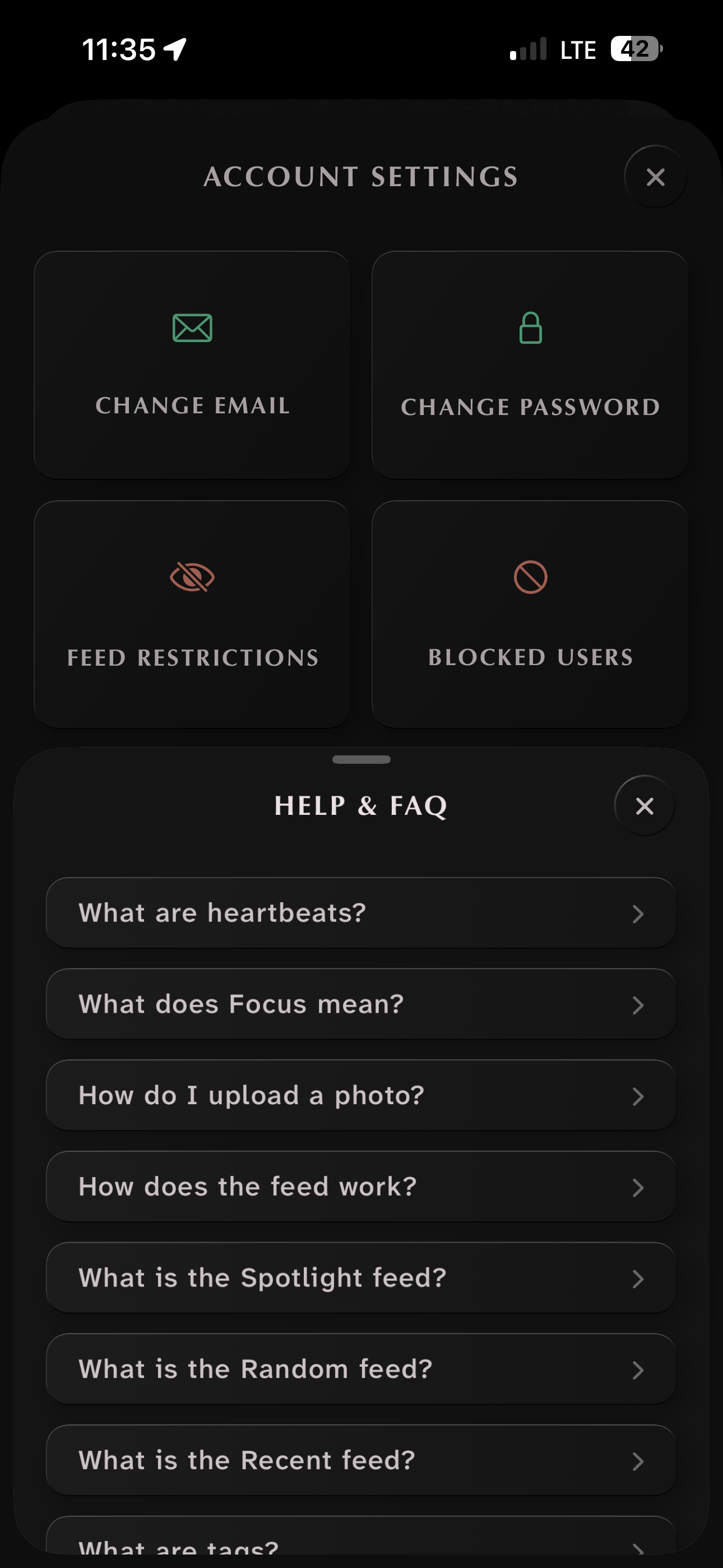
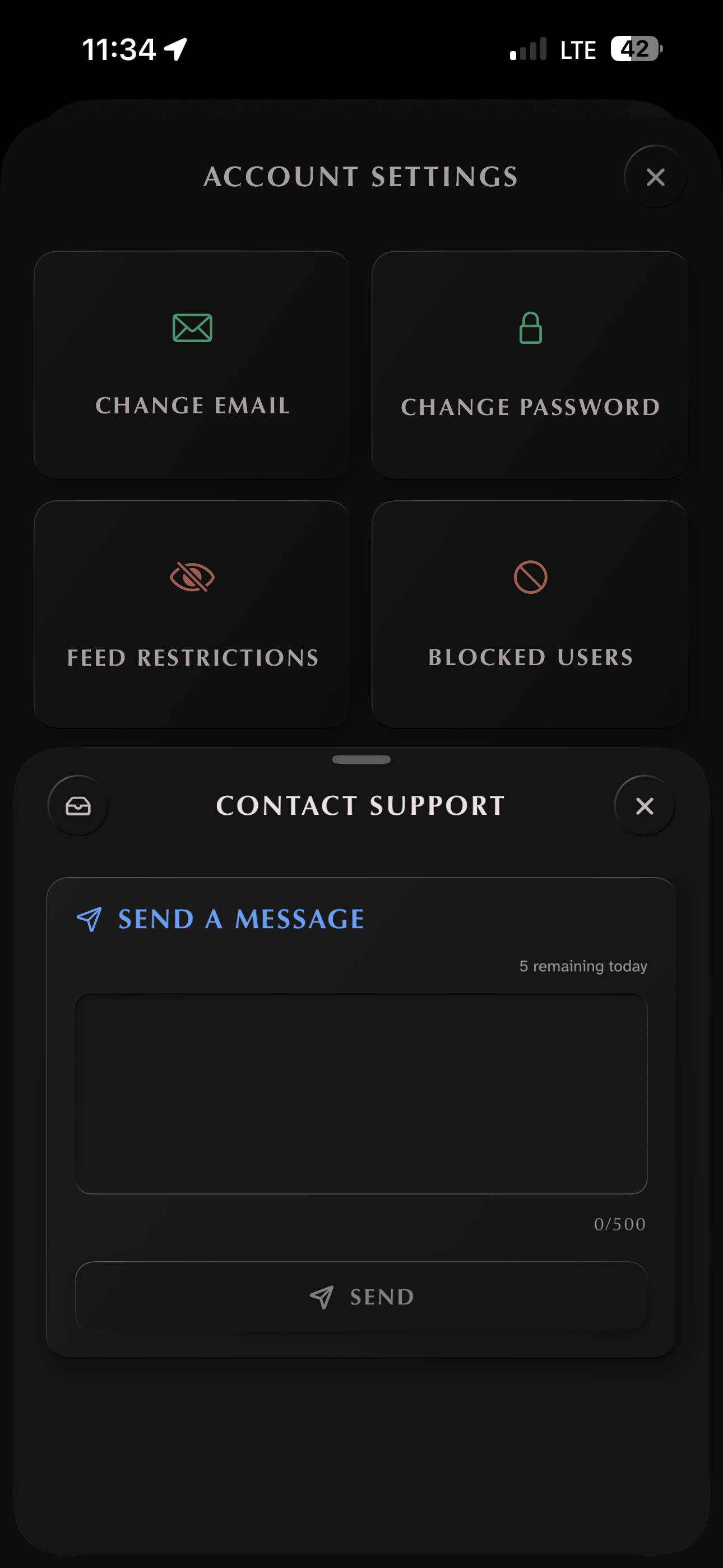
An FAQ we wrote ourselves. Support that goes straight to us.
Your statistics are yours alone. No one else sees them. They give you a sense of your own rhythm without making you feel like you have to perform.
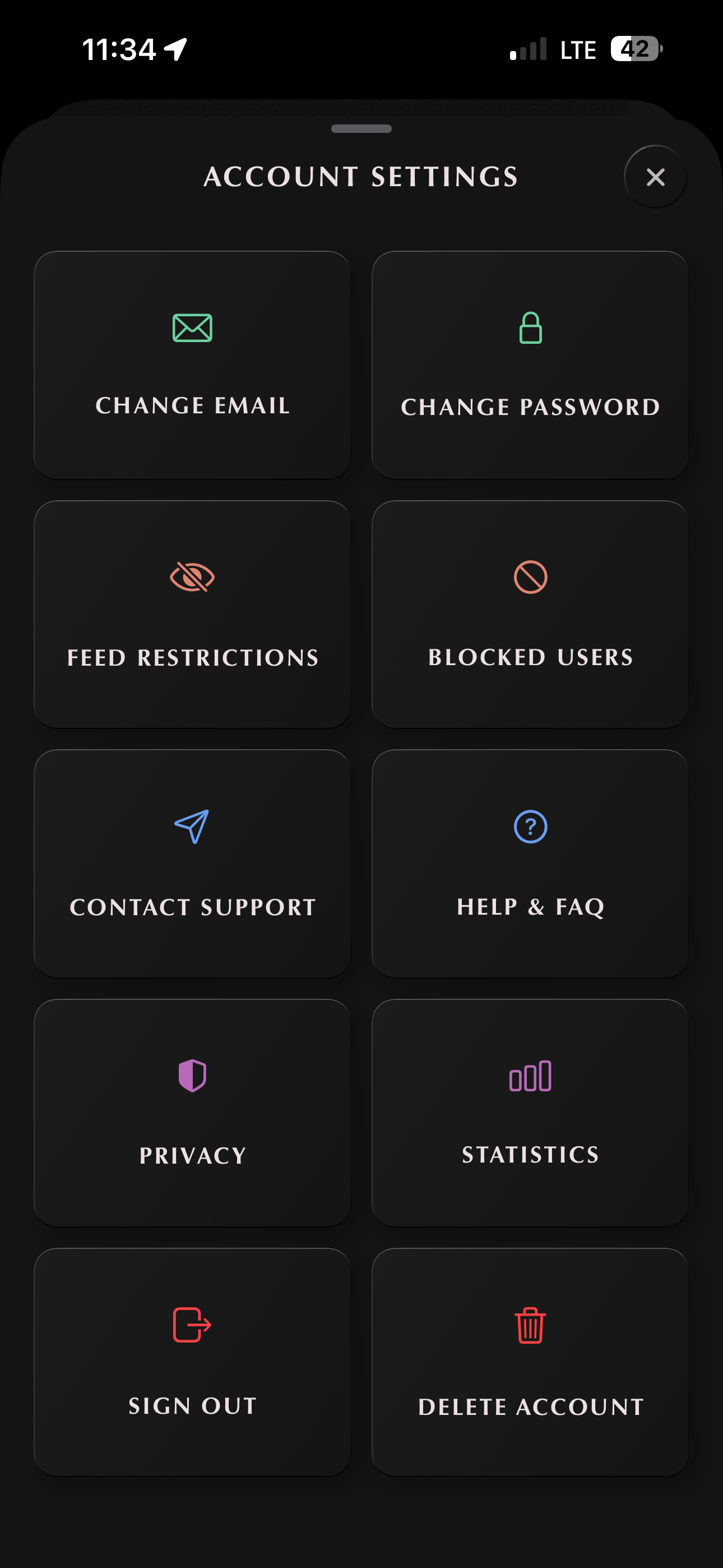
Control your privacy and content you see on the feed. Reach out for assistance, or read through the FAQs to learn how everything works. Delete your account whenever you like. Your work is yours and yours alone to control and protect.
Reach settings from your profile. Inside you'll find account changes, statistics, privacy controls, and small switches that shape your experience.
Sign out, change your username, or leave the app entirely from the same screen. If you ever need a hand, write to us from the support inbox.
Read it when you have a minute. Nothing here is urgent.
Chapter VIII
§ viii
Built safe,
and kind
Screenshots are blocked in the app, so your work isn't casually saved or passed around. When you report something, a person reviews it and decides — and if an account is suspended, they're told why.
The one exception: uploads are randomly audited for illegal content, in order to be good stewards and follow legal requirements. Nothing is judged or determined by a machine — a person makes every call that affects you or your work.
Your work is never used to train generative or commercial models, and it's only served inside the app — there are no public links or web gallery. It belongs to you, not us.
Your data isn't sold or shared with brokers. There's no second business model behind the first one. The $1 covers the cost to keep the services running, and that's it. People over profit. Always.
Use the report button to flag something inappropriate or offensive. Add a note if it needs more explanation; if the report holds up, the post comes down.
Multiple reports on the same image automatically hide it from view until it can be reviewed. Repeat violations by the same person lead to permanent account suspension.
Looking after each other, on purpose.
— Coda
That's the tour.
If it sounds like home,
it's ready. Made carefully, because the community matters more than the headcount. If you make things, or if you just love the things other people make, you belong here.
Download on the App Store